Point Cook Library Membership and Facilities
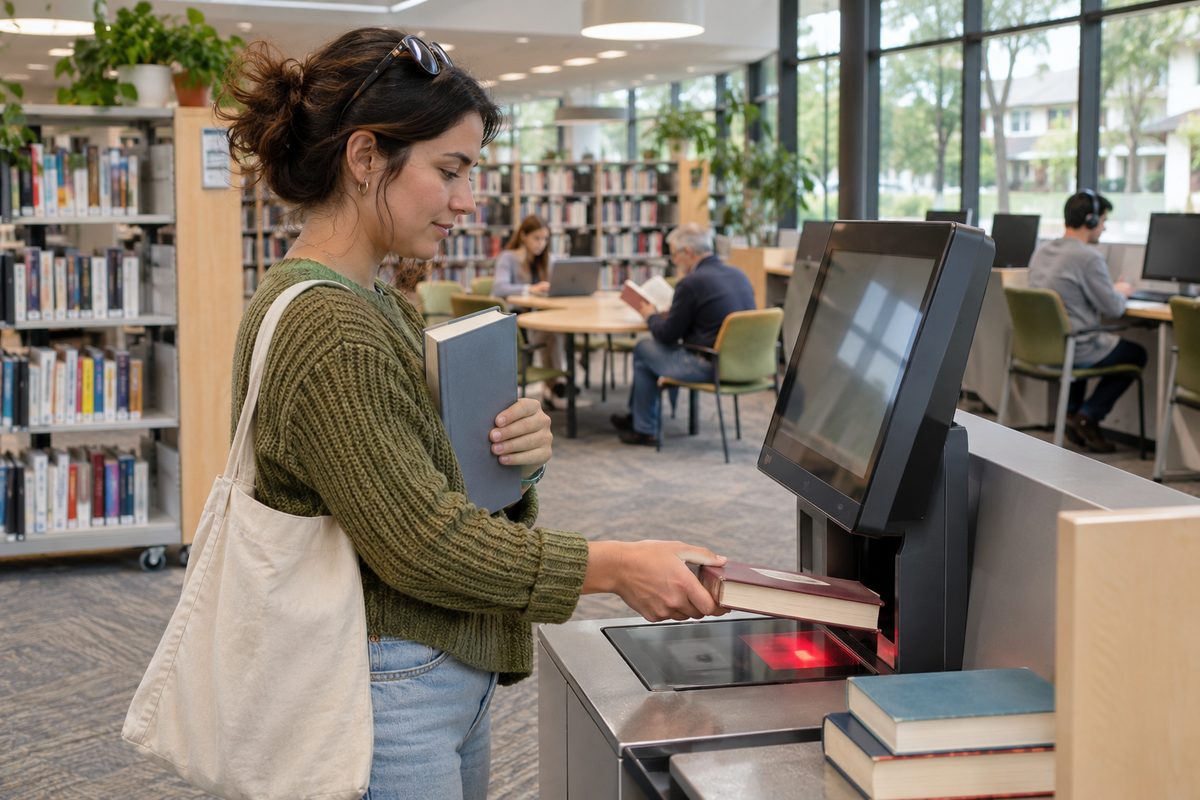
Point Cook Library offers free library membership, borrowing services, study space, public technology, Wi-Fi and programs for people of different ages. It is part of Wyndham City Libraries, so members can use a wider council library network rather than relying on one branch. Access rules, opening hours and program times can change, so check the official Wyndham City Libraries information before making a special trip.
The library is useful even if you rarely borrow a Book. A member may use the catalogue from home, reserve items, access digital material and manage loans online. At the branch, visitors can read, study, use computers, connect a device to Wi-Fi or ask staff for help finding reliable information.
Who can become a library member?
Library membership is designed to give local residents access to physical and digital collections across Wyndham City Libraries. The normal joining process starts with an online application or a request at a staffed library branch. Applicants may need to confirm their identity and current address before receiving full borrowing access.
Children can also become members. A parent or guardian may need to approve the application and accept responsibility for the account. This makes a child’s own card useful for school reading, early Literacy and regular family visits.
People living outside Wyndham should check the current eligibility rules rather than assume they cannot join. Public library networks often accept members from a wider area, but the documents and access offered can vary. Temporary residents should also ask staff what form of membership suits their situation.
A library card is tied to one account. Members should keep their contact details current because reservation notices, due-date reminders and account messages may be sent by email or another selected method. A lost card should be reported promptly so another person cannot use it.
What should you bring when joining?
Bring the identification requested by Wyndham City Libraries and proof of your current address if it is required. Accepted documents and rules can change, so confirm the current list on the council library website before visiting. Parents registering a child should also check whether the child needs to attend and what guardian details are needed.
An online application may provide limited or immediate access to some services, while full activation may require an identity check at a branch. Read the instructions shown during registration. That avoids arriving without the document needed to collect or activate a card.
Choose an email address you check often and create a secure PIN or password. These details may be used to sign in to the catalogue, renew loans and open digital resources. Do not share the PIN with people outside your household.
What can members borrow?
The collection may include fiction, non-fiction, children’s material, large-print titles, magazines, audiobooks and other formats. Availability changes as items move between branches, go on loan or leave the collection. The online catalogue gives a better picture than browsing one shelf at one moment.
Use catalogue filters to narrow results by format, audience, language, branch and availability. If Point Cook does not hold the title you want, another Wyndham branch may have it. A reservation can often bring an eligible item to a selected collection point. Wait for the collection notice before travelling because an item shown at another branch may already be reserved.
Loan periods, renewal limits and borrowing caps depend on the type of item and current library policy. An item may not renew if another member has reserved it. Check the due date in your account after each renewal rather than relying on the date from the first loan.
Digital borrowing may include ebooks, audiobooks, online publications or learning tools supplied through external platforms. Each service can have its own app, loan limit and sign-in steps. Access may require a current library card and PIN.
What if the catalogue does not have the item?
Ask whether an Interlibrary loan is available. This service can help locate eligible material outside the Wyndham collection, although charges, exclusions and longer waiting times may apply. New releases, rare works and items held only in special collections may be unavailable through this channel.
Provide exact details when requesting a title. The author, edition, publication year and ISBN help staff distinguish between works with similar names. For research, explain whether any edition will work or whether you need a specific version.
Which facilities can visitors use inside the library?
Point Cook Library provides a public indoor place for reading, study and information access. Seating and work areas may suit different tasks, but availability can change during busy periods, school holidays and scheduled activities. Visitors who need a quiet setting should avoid assuming every area will remain silent.
Public computers provide access for people who do not have a suitable device at home. Sessions may be time limited, particularly when demand is high. Members should save work regularly to their own approved storage or online account and sign out of every service before leaving.
Printing, copying or scanning may be available under current branch rules. These services can carry a fee, and payment methods may vary. Check the document format, page size and colour setting before paying for a large print job. Staff can explain the equipment, but visitors remain responsible for reviewing the final settings and protecting private documents.
Power access may be available near some seats. Bring a charged device and the correct cable because a power point cannot be guaranteed. Keep cords close to the table so they do not block a walkway.
Toilets, accessible entry, parking conditions and nearby public amenities should be checked through current council or centre information when they affect your visit. A person using mobility equipment may also wish to contact the library about the easiest entrance and suitable indoor spaces.
How does the library’s technology work?
Technology at a public library is shared, so access is managed to keep it fair and secure. Computer booking rules may require a library card or guest arrangement. Session lengths and software can differ from a home or workplace computer.
Public Wi-Fi lets visitors connect a compatible phone, tablet or laptop under the network’s terms of use. Speed can vary with demand, building conditions and the task being performed. Large uploads, video meetings and software downloads may work less smoothly than basic browsing.
Treat public Wi-Fi as a shared network. Avoid sending sensitive information unless the website or app uses a secure connection. Use multi-factor authentication where possible, turn off automatic file sharing and forget the network after the visit if you do not want the device reconnecting later.
Never leave a signed-in device unattended. If using a public computer, do not let the browser save passwords. Sign out of email, cloud storage and government accounts, then close all browser windows. A downloaded file may remain on a shared machine if it is not removed through the approved process.
Library staff may help with basic access, such as finding the catalogue or connecting to a service. They cannot safely manage private passwords, banking details or identity documents for a visitor. Bring written steps from the service provider if you need help with a complex online form.
Can you study or work at Point Cook Library?
The library can suit reading, homework, online learning and laptop work. It is a shared community setting, however, rather than a private office. Children’s sessions, conversations and normal movement may create periods of noise.
Plan around the task. Headphones can help with recorded lessons, but keep the volume low enough to remain aware of announcements. For an exam or private video call, confirm whether an appropriate bookable space exists. Do not assume an open desk provides privacy.
Arrive with files stored in more than one safe place. A cloud copy and a local copy can protect an assignment if a connection fails. Name documents clearly before printing, and check submission deadlines against the time needed to travel home.
A useful hypothetical example is a student who needs one chapter from a reserved text and an hour on a computer. The safest plan is to wait for the reservation notice, check opening hours, save the assignment online and arrive before the final part of the day. That plan removes four common points of failure without requiring extra library services.
What support is available for children and families?
Public libraries often run story sessions, school-holiday activities and reading programs, but the schedule changes. Age limits, bookings and supervision rules may apply. Use the official events calendar to confirm the date, suitable age range and whether registration is required.
Early Literacy grows through frequent contact with spoken language, stories and print. Families can use the library to let children choose books, hear different story styles and build a steady reading habit. A child does not need to finish every title. Returning an unsuitable book and choosing another is part of learning what holds their interest.
Adults remain responsible for supervising children in the branch. A scheduled program does not automatically provide child care. Check the event conditions before leaving a child in an activity area or moving to another part of the library.
Families seeking toys rather than reading material have a different borrowing need. The separate Point Cook Toy Libraries guide explains how toy lending may work. Keeping these services separate helps parents compare membership rules, hygiene steps and loan conditions without confusing them with council library borrowing.
How can members get more value from each visit?
Search before travelling. The catalogue can show whether an item is available, at another branch or already on loan. Place a reservation when the service permits it, then wait for confirmation. This saves time and makes the full network work for you.
Check your account each week if you borrow often. Review due dates, reservation status and contact details. Renew eligible items early enough to make another plan if the renewal is refused.
Pair the visit with one clear task. That might be collecting a reserved title, printing a form or helping a child choose reading material. A defined task makes it easier to bring the right card, files, cables and payment method.
Ask staff a precise question. “Where can I find beginner English readers?” gives staff more to work with than “Where are the books?” For research, include the topic, reading level and purpose. Staff can then point towards suitable shelves, catalogue terms or trusted databases.
Respect shared facilities. Keep calls brief and move them to an approved area. Use headphones for audio, leave walkways clear and finish a computer session when the booking ends. These simple acts protect access for the next visitor.
What should you confirm before leaving home?
Opening hours can change on public holidays, during building works or because of an unexpected closure. Program details and service access can also change. Check the official branch page on the day of a time-sensitive visit.
- Confirm that your membership is active and that you have the correct card or login.
- Check whether a reserved item is ready for collection.
- Review current hours and any event booking rules.
- Bring identification if staff have asked you to complete registration.
- Save documents in a format that can be opened on the available Technology.
- Check current fees before using printing or an Interlibrary loan.
For more local information and practical guides, return to Point Cook Tideline. Its local coverage can help residents plan nearby activities while keeping official service rules separate from editorial guidance.
Action: Apply for membership or open your existing account today, then reserve one useful item and confirm the branch hours before collecting it.